Play IPTV channels
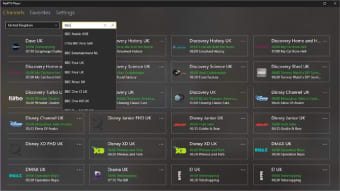
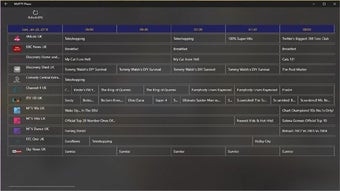
MyIPTV Player is a completely free media player that allows you to watch various IPTV channels as well as video on demand (VOD) streams. It comes along with a built-In EPG or Electronic Programme Guide support, which provides you with an on-screen menu displaying all the programs available for you to stream.
Keep in mind though that the channels are not included in MyIPTV Player, meaning you must search for different video content from numerous online websites. If you are familiar with TV Media's IPTV Player+ or Dimitar Minchev's IPTV, they all function the same.
Simple but powerful IPTV player
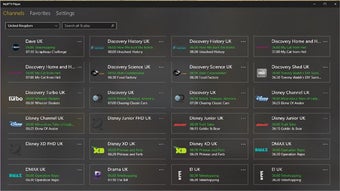
To start streaming all your favorite channels and video content, you must put it all together in one storage or remote source playlist. Bear in mind that MyIPTV Player can only load channel and video packets that are in M3U format. Once the loading process is finished all channel programs added will automatically be grouped according to their data. This way when searching you can conveniently use its filtering options.
If you wish to record a specific channel episode multiple times, you can use its recording function, so you can save and rewatch it anytime you wish to. On top of that, you can opt to manually add channels by simply placing their URLs in the app settings. To easily access your most-loved content, the favorite management feature is available for you to add the programs you like.
Furthermore, it grants you a download center wherein you can get many videos on demand (VOD) streams and the history of all your video downloads will also be accessible there. This robust media player gives you more options that enable you to utilize the VLC library for media playback or Windows 10 media player. Unfortunately, when VLC is used for VODs, the color screen of regular channels can turn green.
Stream favorite IPTV content on desktop screens
MyIPTV Player is an impressive video player even with some shortcomings. This way you can view your most loved IPTV content as many times as you can. However, searching and loading the programs you aim to watch can take time, everything will come easily once it's all placed together in a playlist. You can then seamlessly watch and record all the episodes you wish to rewatch a couple of times.